
Rainy Night Gameplay Flow
Project - Oct 20, 2014 Migrated from Tumblr

I’m making a simple game, which is controlled by mouse hover and a small library of voice recognition, in the gameplay style of adventure point and clicks. (Think Sword and Sworcery, Machinarium, Quest for Glory).
These are my notes on the programming workflow I settled into after a few iterations. It’s all being implemented on the first level, with blocked out art.
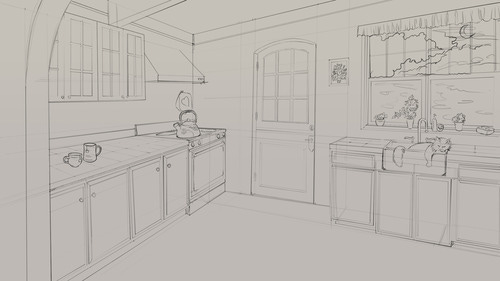
I’m limiting my hover to thirds screen space (9 quadrants).
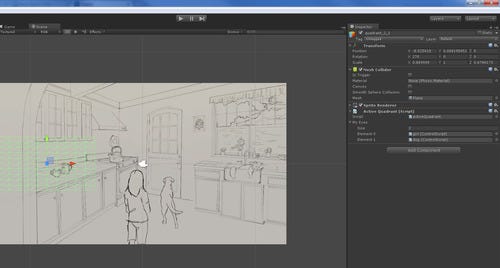
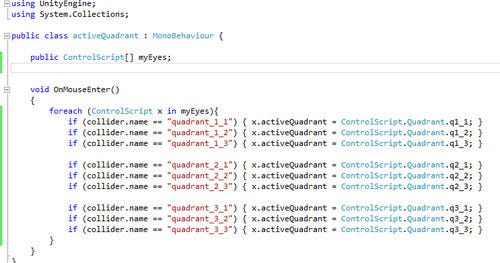
I kept the programming down to 2 scripts. One sending OnMouseEnter events so I know where my mouse is, and one controlling the behavior. There were a few different hover behaviors I ended up writing for.
Passive Action
This term refers to hover only. The mouse is over an affected area, and something is happening, but the user isn’t sending any action signal. The two areas of this screen affected by this modality are the direction the girl is looking, and the attention of the dog (if you look at him).
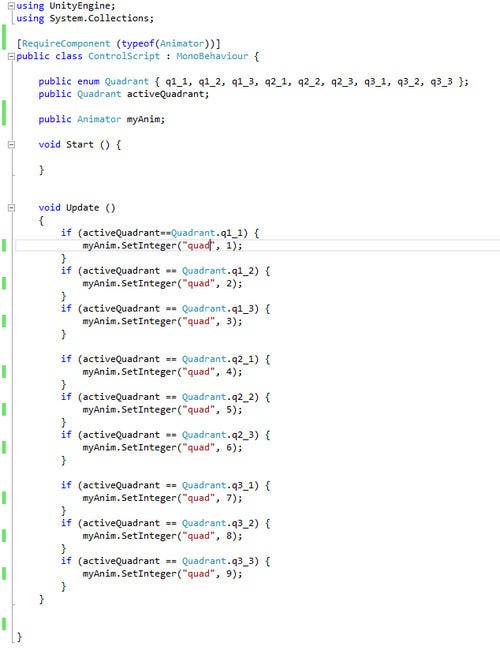
I wanted to send signals to the animator which were universal to all objects. The first one I setup was an int which dictated which quadrant the mouse was in.
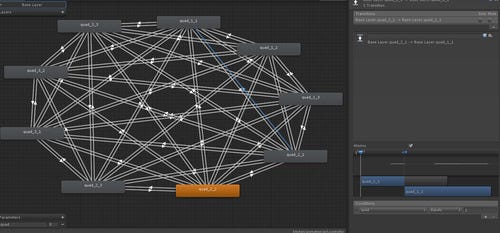
Under the girl’s Animator object, I created a state shift for each one.
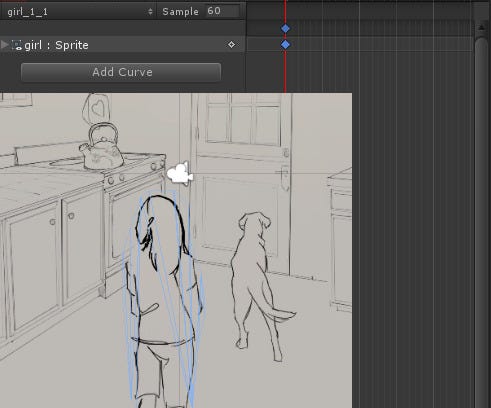
Unity 2D handles image icons as sprites. If they’re an image which includes alpha (like PNG), that will be accounted for automatically. You set each “sprite” on the stage to have a sorting order (where layers are), and that determines which layer is rendered in front of which.
This is my favorite part… in order to have 2D animations, you just need to go under the Animation clip, and drop a new sprite onto a section of the timeline. This is a new feature of Unity 4.3.4f1 which I AM INTO. I spent so much time doing 2D animation in college my hand almost fell off, its a loved skill I don’t get to use often.
Timer
The next thing I implemented was the timer logic.
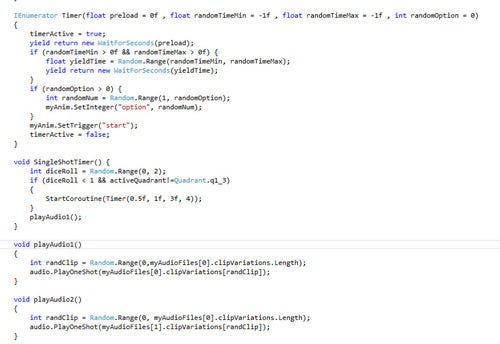
I wanted to be able to pass in a bunch of variables if I wanted variation, or none if I didn’t. Seth told me about this trick: you set the variables to have default values. If you don’t pass a value when the function is called, it has its default. Then in the script, you only run your conditional code if the number is not default.
In this case I set it up to release with random time intervals, and on the big explosion, to only release half the time. I wanted the lightning and thunder to be somewhat dependent on mouse location, but still feel random. I also want to be able to re-use the timer script for other purposes, however.
This was the halfway point, I wanted to post it just so I didn’t lose my thought pattern at the time. I ended up re-writing all of this so it could be function based, and scalable between all levels… I’ll write up the process for that in another blog post.